

Collect
Two independent streams reach DataFramer:- Signals: the
track,identifyandgroupevents the browser SDK sends, straight from your users’ browsers. - Traces: your AI calls, pulled from your connected observability tool. The server library has already stamped the journey id onto them at creation.
Correlate
Any signal and any trace that share ajourney_id are placed on the same journey timeline. The match runs on that id alone, so it works across agents and tools, as long as both sides carry it.
The result is one timeline per journey: product events, interleaved with the AI traces that happened between them, in the order the user experienced them.
Check that it works
Open User Journeys in DataFramer. The Live Events tab lists accepted and rejected events as they arrive, with the reason for each rejection. The Connection tab shows how many signals were matched to a trace over the last 30 days, and how many were not.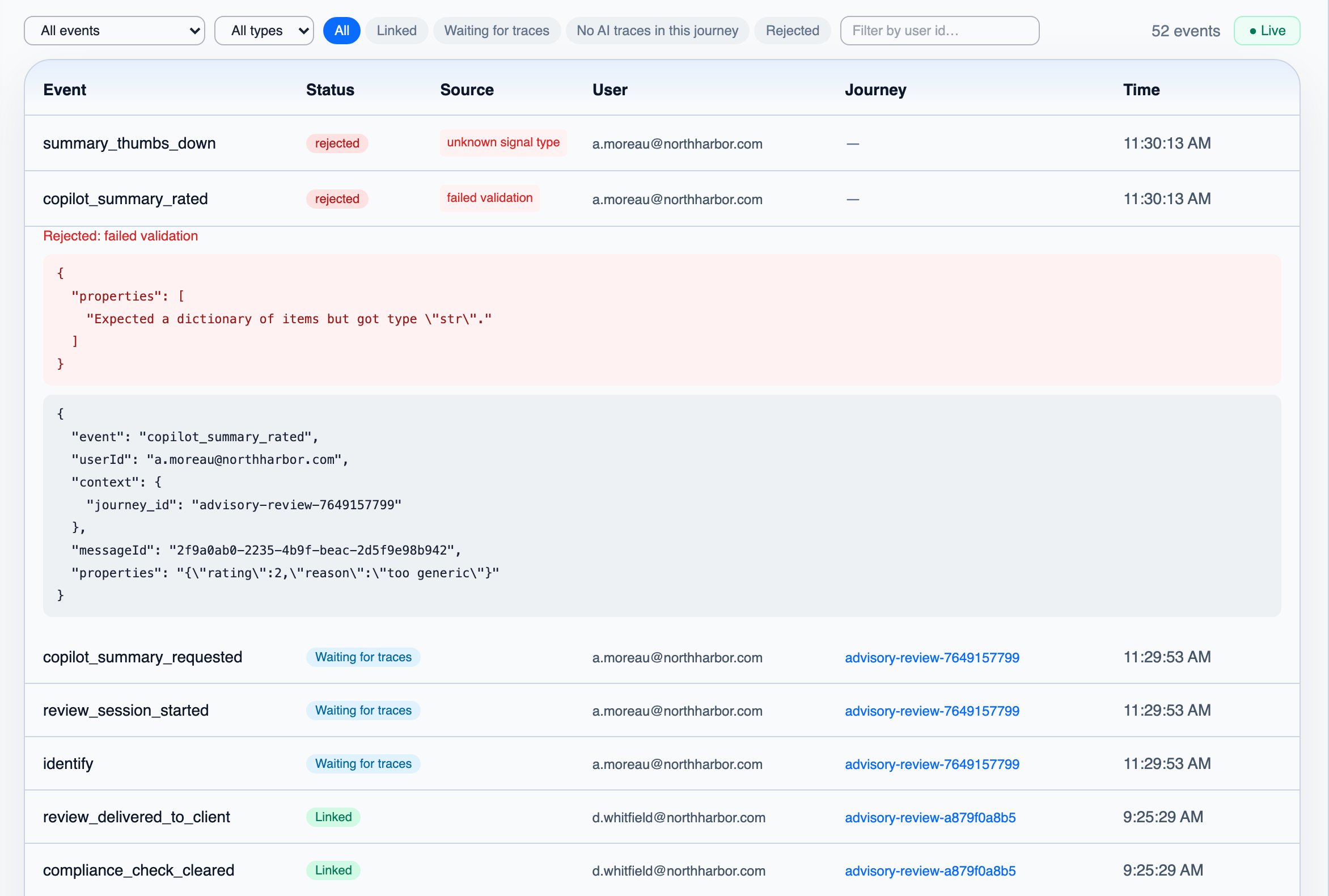

Next steps
View & Filter Journeys
See the result in the Journeys UI