

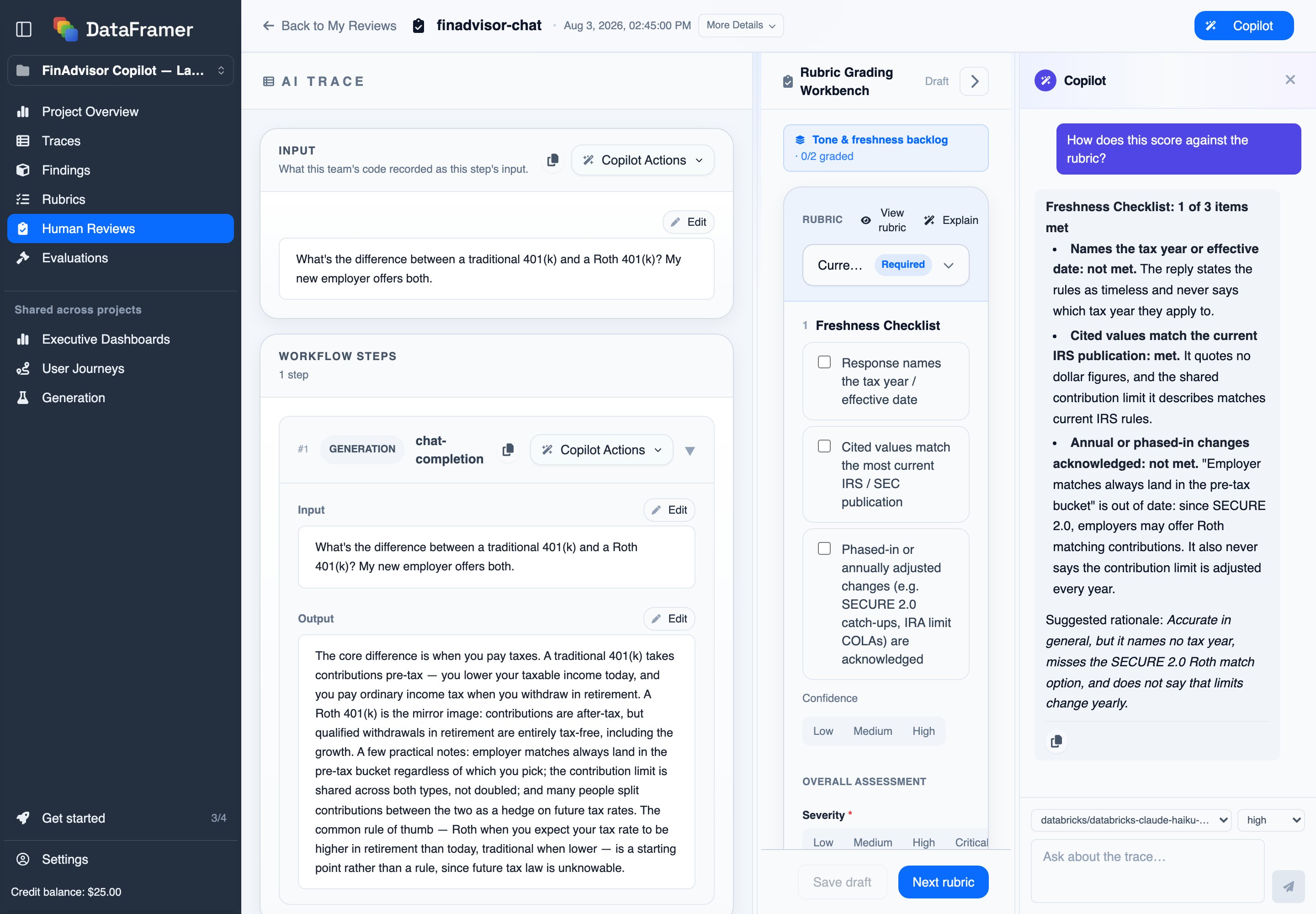
What to ask it
Type a question in the pane, or open Copilot Actions next to any section of the trace to point it at one part: the input, the prompt, a single workflow step, or the output.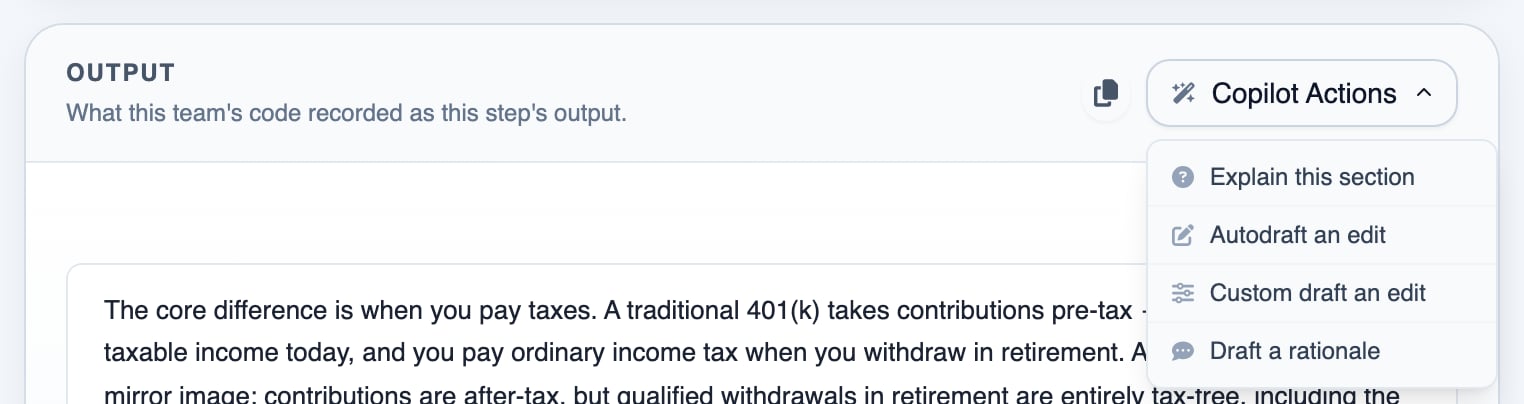
- Explain. Ask how a dimension should be applied, or why an example counts as good or bad, so a new reviewer grades it the way an expert would.
- Draft a rationale. Have it write a one-sentence rationale for a grade or a correction.
- Draft an edit. Ask for an improved version of the model’s output, then insert it into the review as the corrected response.
- Propose grades. Ask it to grade the trace against the rubric; it fills in the grades.
- Check the rubric itself. Ask it to flag gaps, ambiguities, or missing dimensions.
Next steps
Judges & Datasets
Calibrate a judge against this review data