

Calibration
Before you trust a judge, you calibrate it: you run it over an evaluation dataset of traces your team already reviewed, and DataFramer reports how often the judge’s verdict matches the human verdict. This number is the judge’s agreement with your reviewers. High agreement means the judge can grade on its own. Low agreement means it needs work first. To calibrate, first build an evaluation dataset: open Evaluations → Datasets and press New dataset, or select reviewed traces in Traces or Findings and pick Add to dataset → Evaluation Dataset. Then open the judge, choose that dataset, and press Evaluate. The run appears under Calibration history on the judge page, with its agreement score.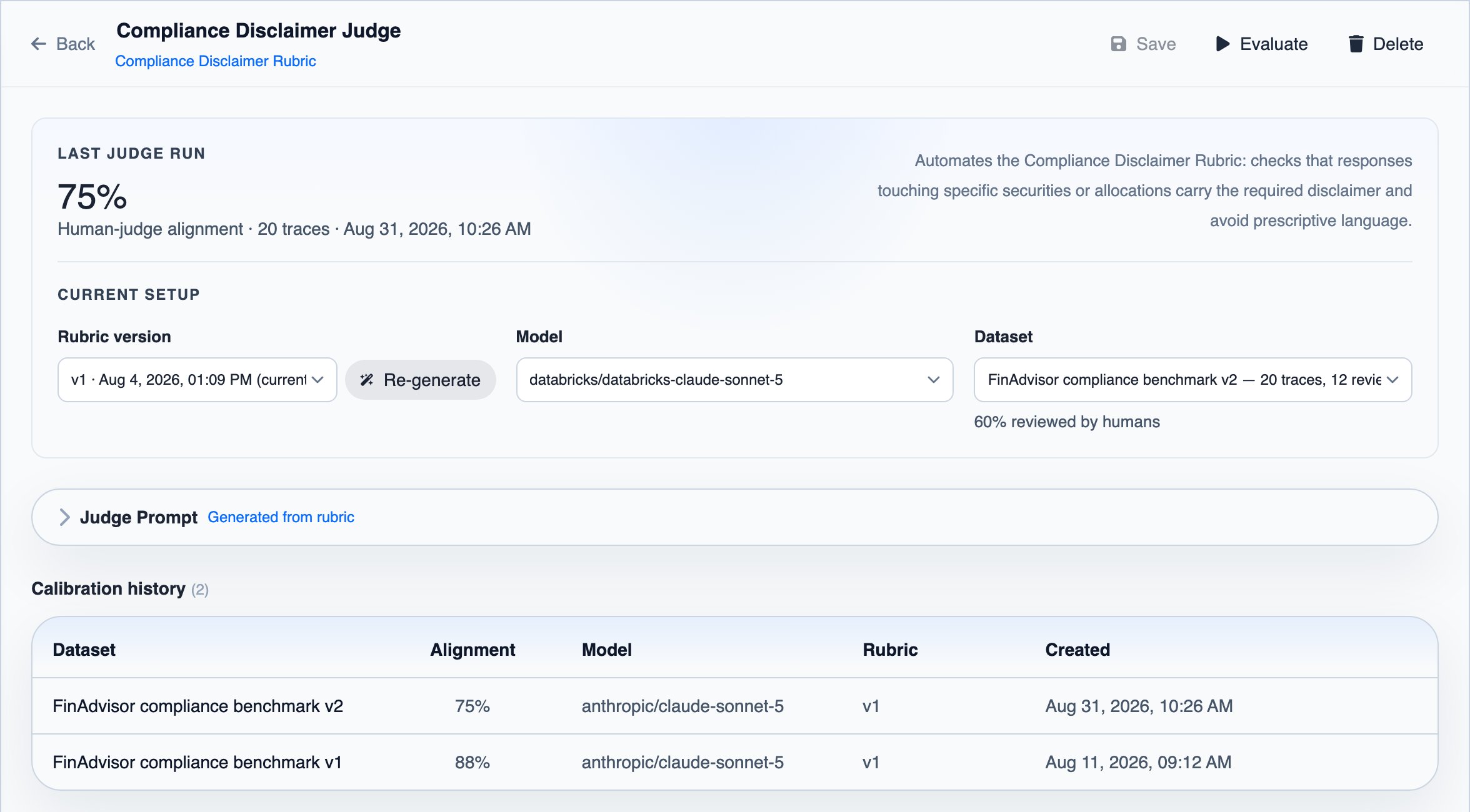
Troubleshooting low agreement
Improve the judge, run it again, and read the traces where it still disagrees with your reviewers:- Clarify the rubric. If your reviewers disagreed with each other too, the rubric is ambiguous. Fix its dimensions, definitions, and examples under Rubrics, then re-generate the judge’s prompt from the new rubric version.
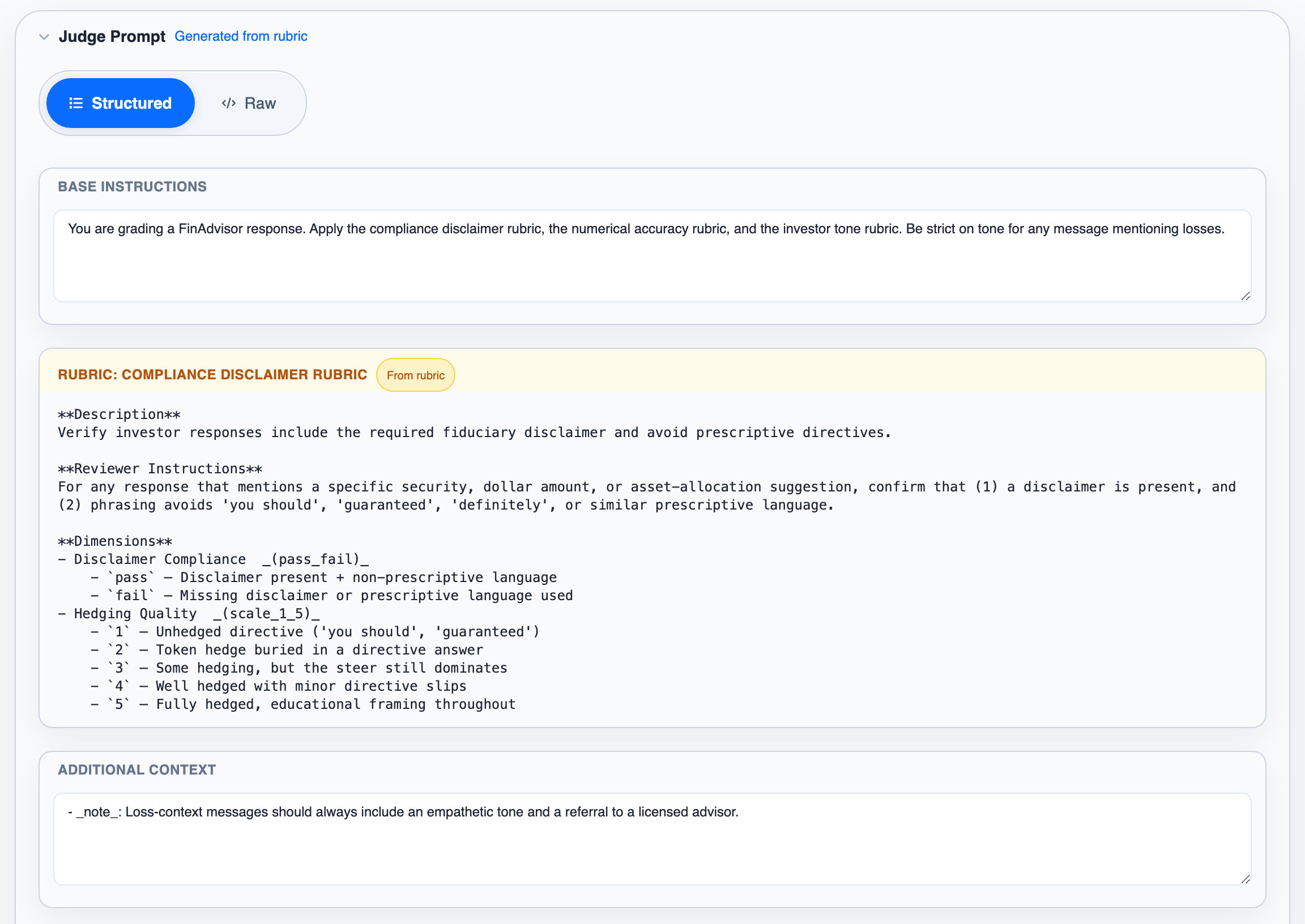
- Edit the prompt. If the rubric is clear but the judge reads it wrong, edit the Judge Prompt by hand on the judge page.
- Review more traces. Agreement is measured only on the reviewed traces in the dataset. Review more of them and add them to the dataset, so the score is based on more traces.
- Try another model. Change the judge’s model and keep the one that agrees best with your reviewers.
Next steps
Dataset evaluations
Build benchmark datasets and run judges across them at scale
API guardrails
Call a judge from your own code and act on the verdict