

Route traces to reviewers
A queue is a shared inbox of traces for a team of reviewers. Create one under Queues: name it, pick the rubrics to grade against, pick the reviewers, and optionally add traces right away. The queue hands traces out round-robin, so the load stays even. Leave the rubric list empty and the queue grades against all of the project’s active rubrics.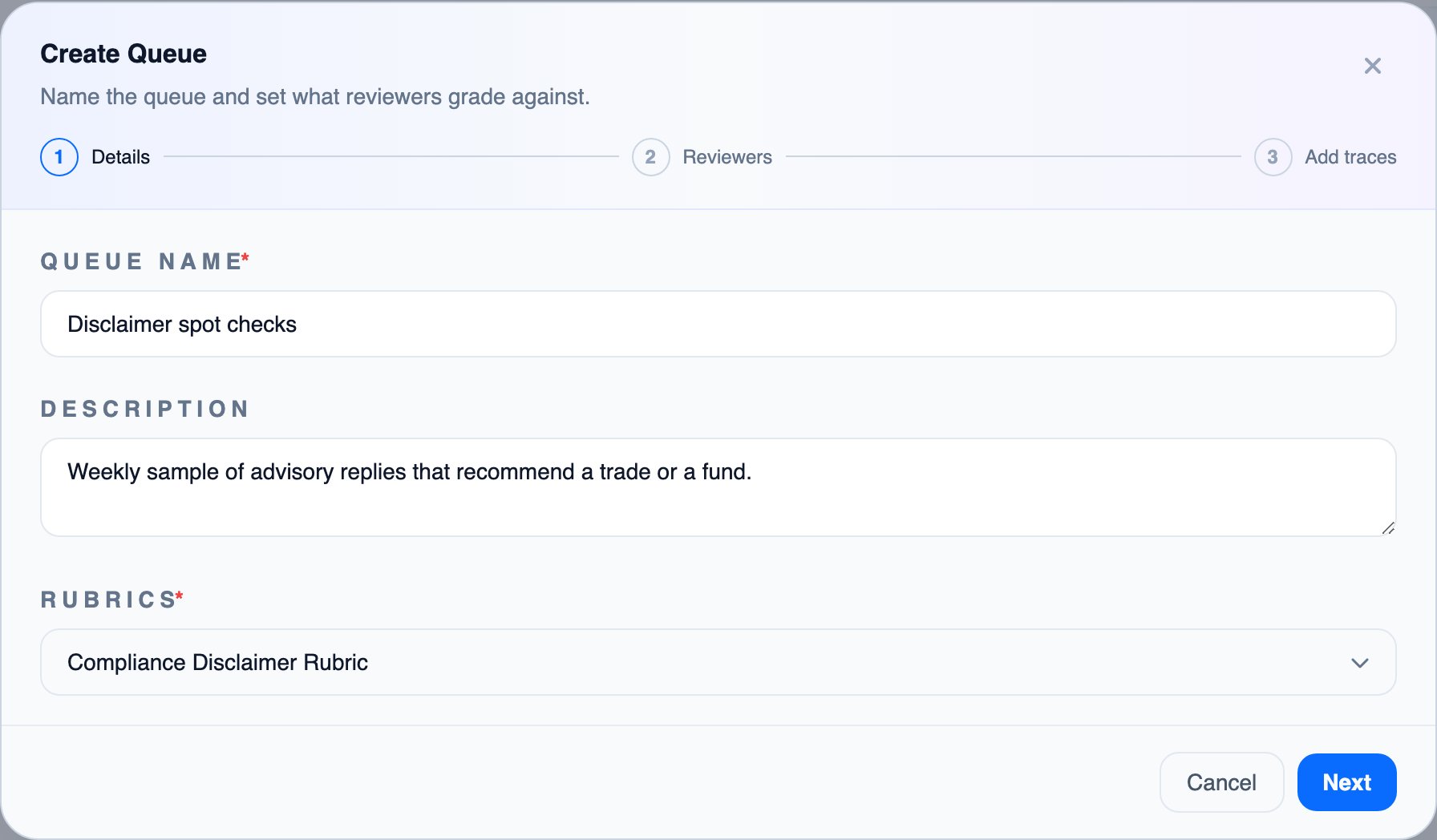
Do the review
Each reviewer opens My Reviews, their own list of traces waiting for a grade. A trace opens beside the rubric. The reviewer scores each dimension, writes a short rationale, sets how confident they are, and, when the rubric requires it, how severe the problem is. If the prompt or some output detail was wrong, the reviewer rewrites it into what it should have been. The trace sits beside an editable copy.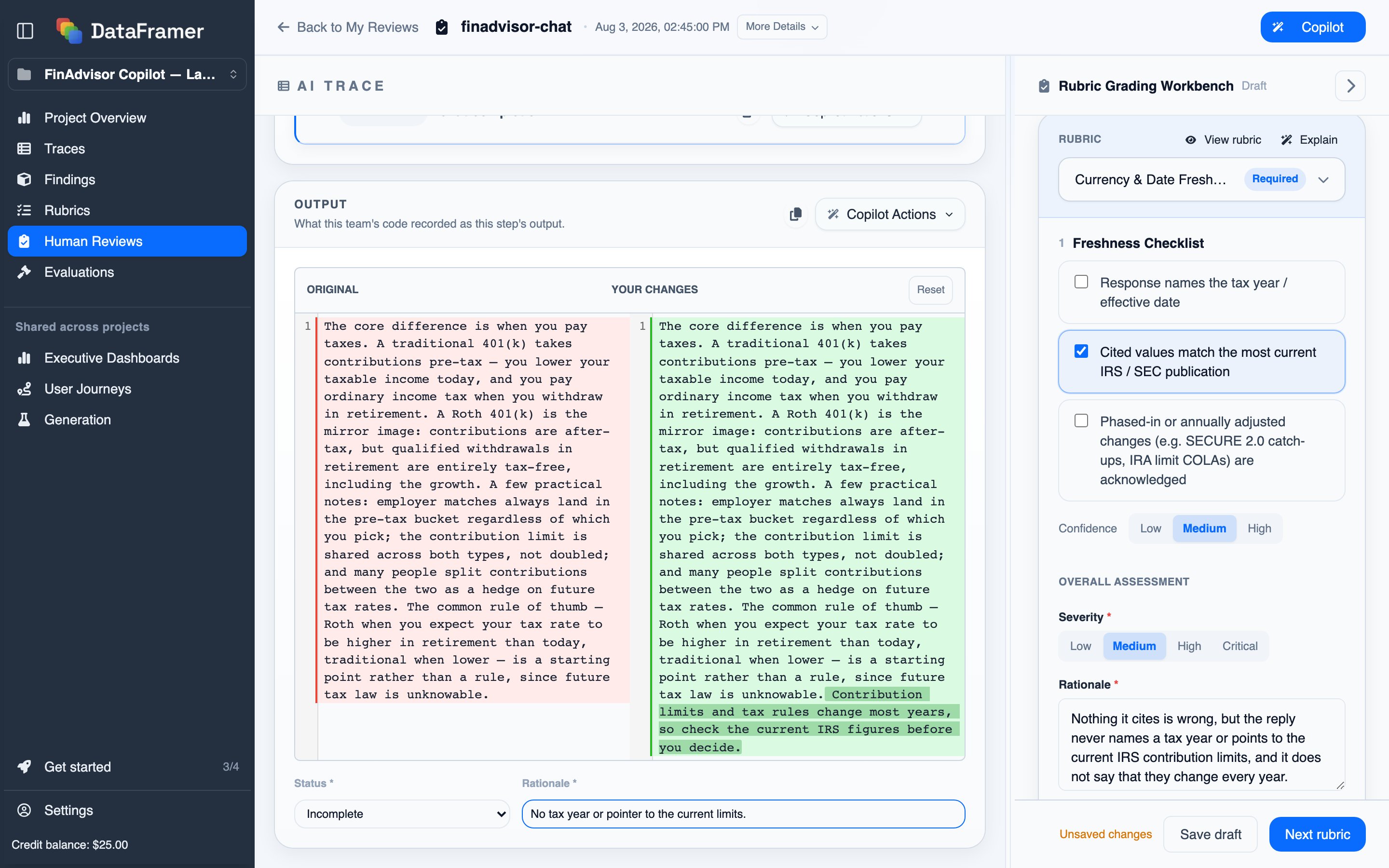
See where reviewers agreed and disagreed
All Reviews lists every review across all reviewers. When more than one reviewer grades the same trace, their grades combine into a team verdict, and the list shows whether they were unanimous or split on the headline dimension and how much they agreed overall.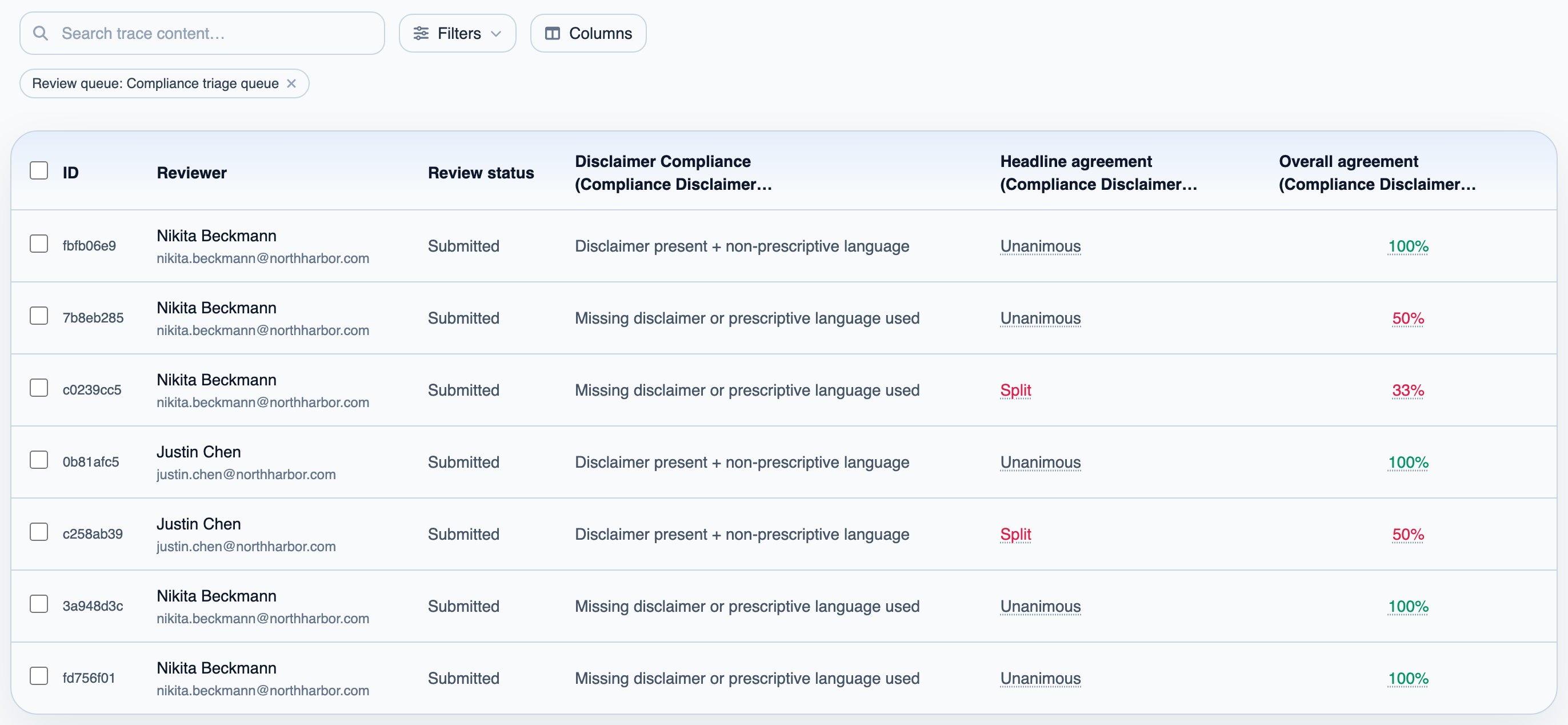
Feedback gets reused
After each submission, DataFramer distills what the reviewer decided, and why, into memory. The Review Copilot reads that memory on later reviews of similar traces. From All Reviews, select any reviewed traces and press Add to dataset to make them an evaluation dataset for calibrating a judge, or a generation seed dataset so the cases your experts just corrected seed the next batch of synthetic data.Next steps
Judges & Datasets
Calibrate a judge against this review data