

@dataframer/signals is a small browser SDK. It sends user and product events to DataFramer, and it creates the journey id that ties those events to your AI traces.
Install
Get a write key
In DataFramer, go to Settings → API Keys and generate the Signals SDK write key. This key can only send events in, never read data out, so it is safe to ship in frontend code.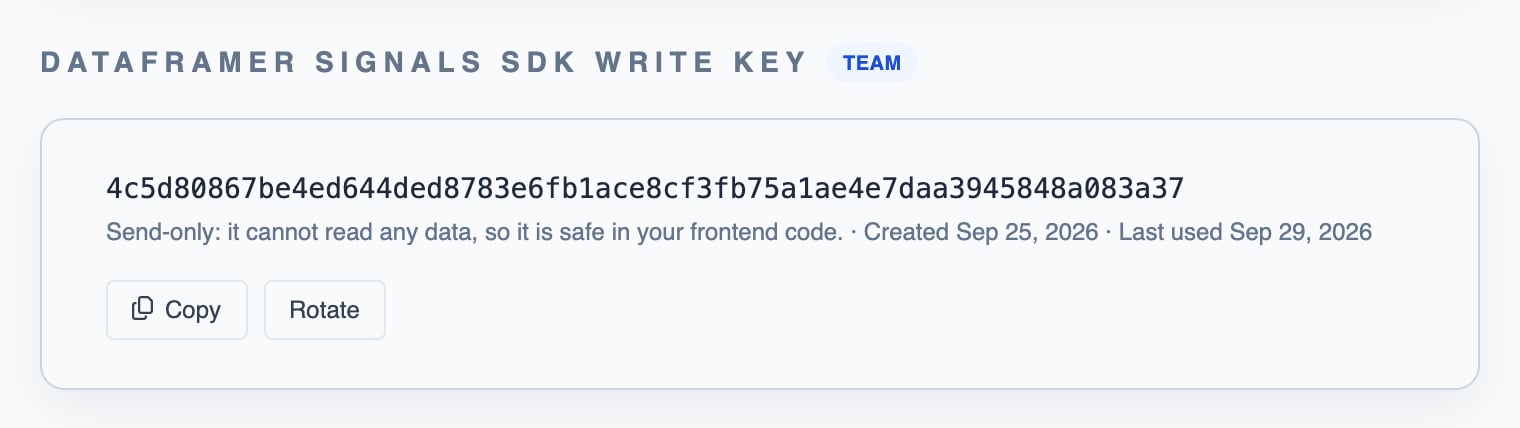
Initialize once, at app start
Send events
console.warn with the reason, and the rejected event shows up with that reason under User Journeys → Live Events. During setup, that page shows whether events were rejected or never sent.
Journey ids
Every event carries ajourney_id. There are two ways to get one:
- Automatic (default): the SDK creates an id for you. It resets after 30 minutes of inactivity (
journeyIdleMinutes). - Your own id: if you already have a natural id, such as an order id, conversation id or ticket id, you can use that:
Getting the journey id to your own backend
Your backend needs the journey id so it can stamp it onto your AI traces (see Server Instrumentation). How it gets there depends on whether your frontend and your backend share an origin.- Same origin: nothing to do
- Different origins: two steps
If your frontend calls your backend on the origin it was served from (same scheme, host and port, for example a page on
https://app.acme.com calling https://app.acme.com/api), the browser sends the SDK’s journey cookie with every request, and dataframer-journey reads it. Nothing to configure. If you stamp traces without that library, see Without this library.Content Security Policy (CSP)
If your site sets aContent-Security-Policy, allow your DataFramer API host in connect-src, or the browser blocks the SDK’s requests:
debug: true the SDK also warns). If events do not arrive, check this first.
Config reference
Next steps
Server Instrumentation
Stamp this same journey id onto your AI traces automatically.