

Connect an observability tool to pull traces from
Currently supported: Langfuse and LangSmith. More observability tools are on the roadmap. If you do not have one yet, create a free Langfuse or LangSmith project and point your app’s tracing at it.
- Langfuse
- LangSmith
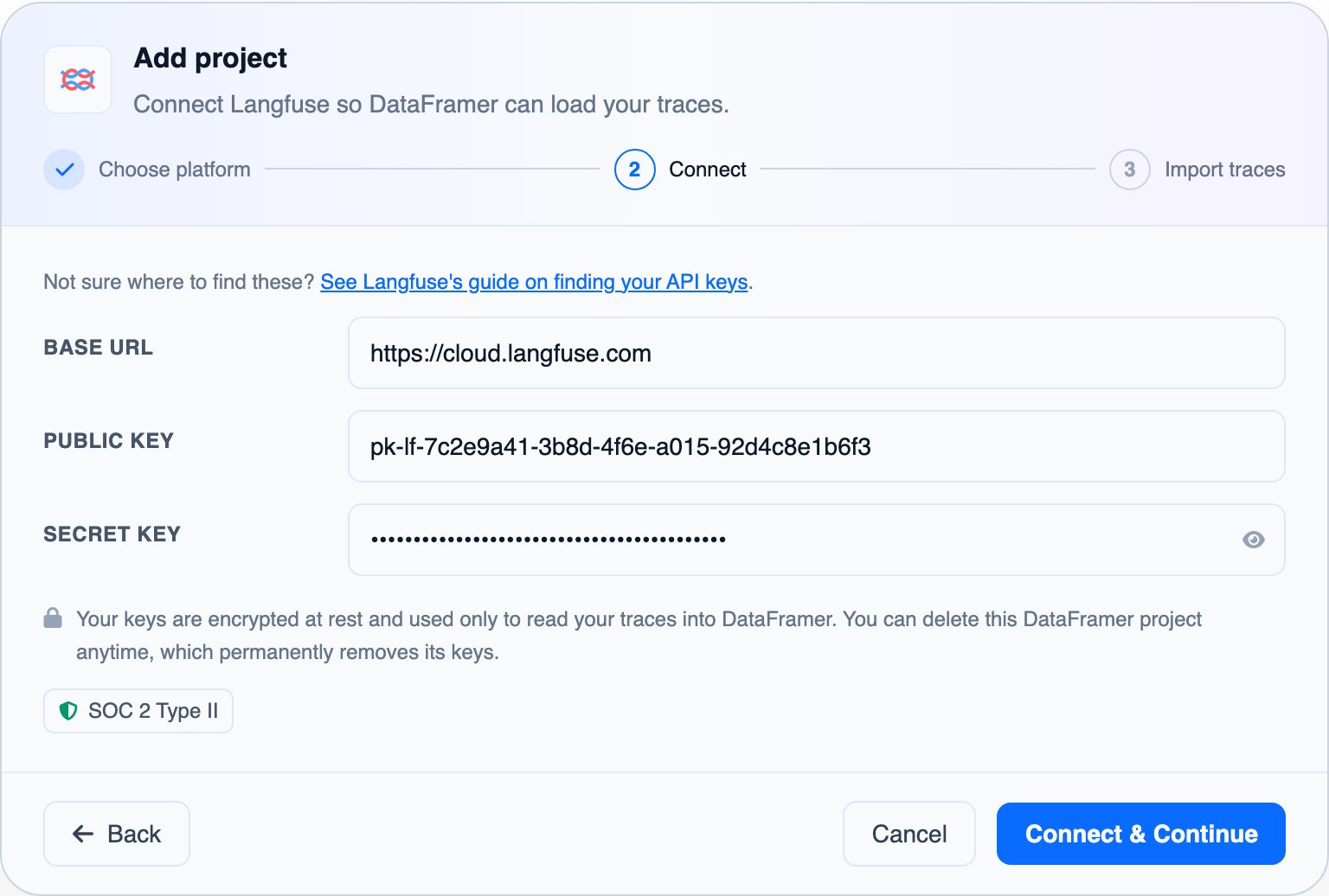
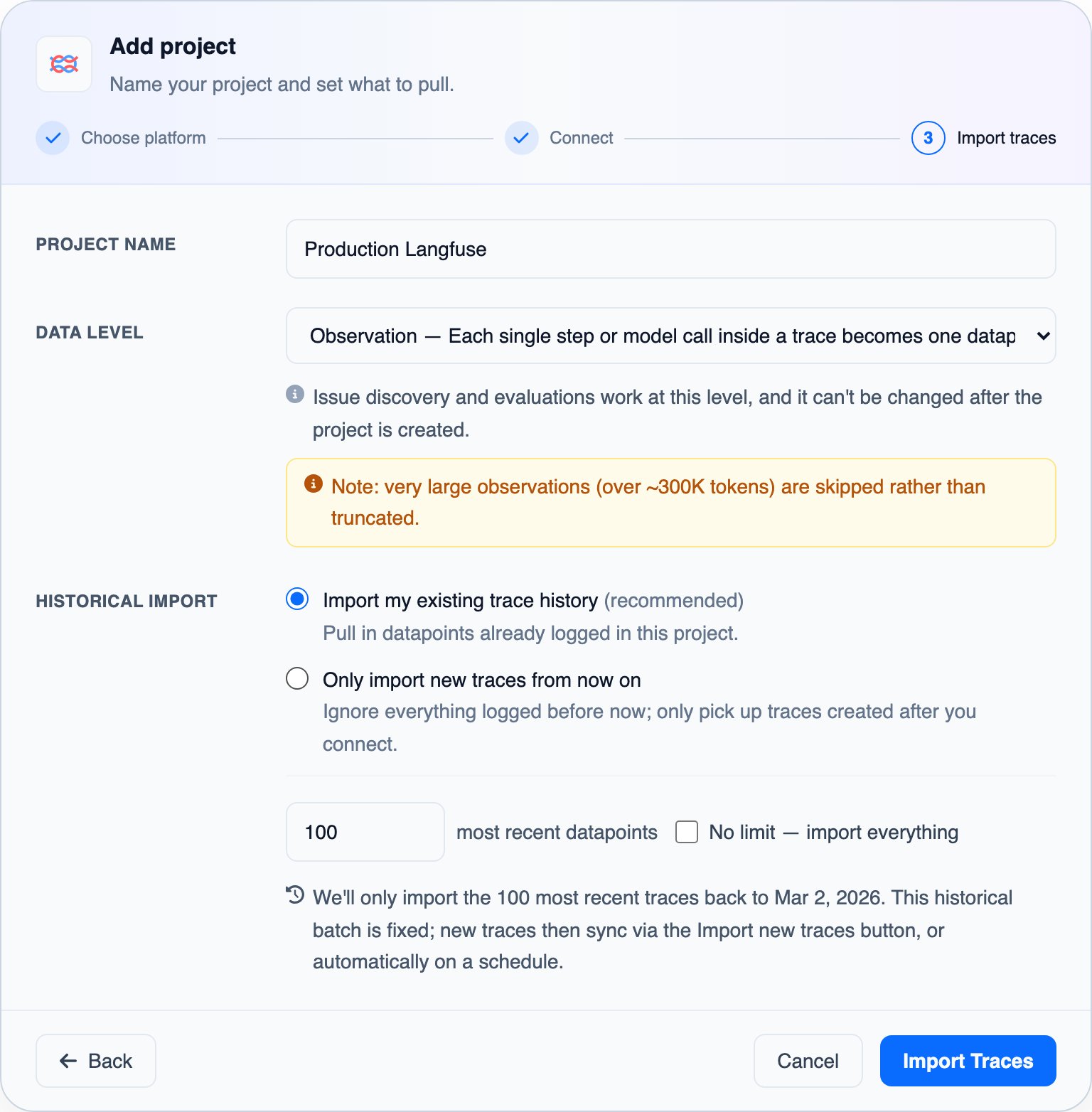
- Data level sets what one datapoint is, and discovery and evaluations work at that level. Trace- and session-level datapoints can be large (>1M tokens); those are imported and then processed in pieces. Only ones above 10M tokens are skipped at import.
- Import history: the traces already logged in the tool before the first import, or only the traces created from now on.
See your traces
The Traces page lists the imported traces for the time range you pick. Open a trace to see everything DataFramer knows about it, and use the Review Copilot there to ask questions with the full context around it.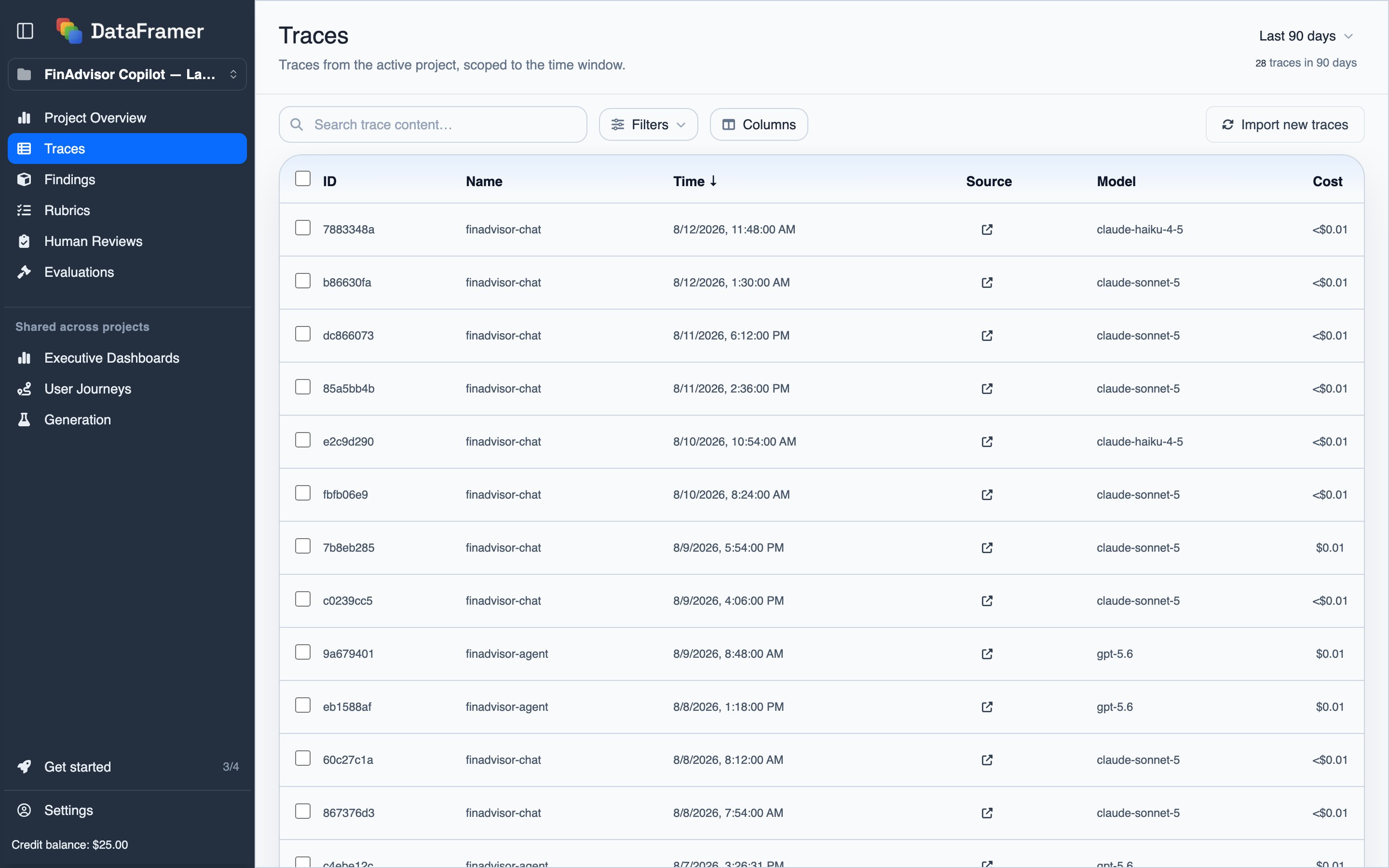
Route traces onward
Wherever DataFramer lists traces, select any subset and route it onward: Assign review sends the traces to a review queue, Add to dataset → Evaluation Dataset makes them ground truth for judges, and Add to dataset → Generation Seed Dataset makes them seed examples for synthetic generation.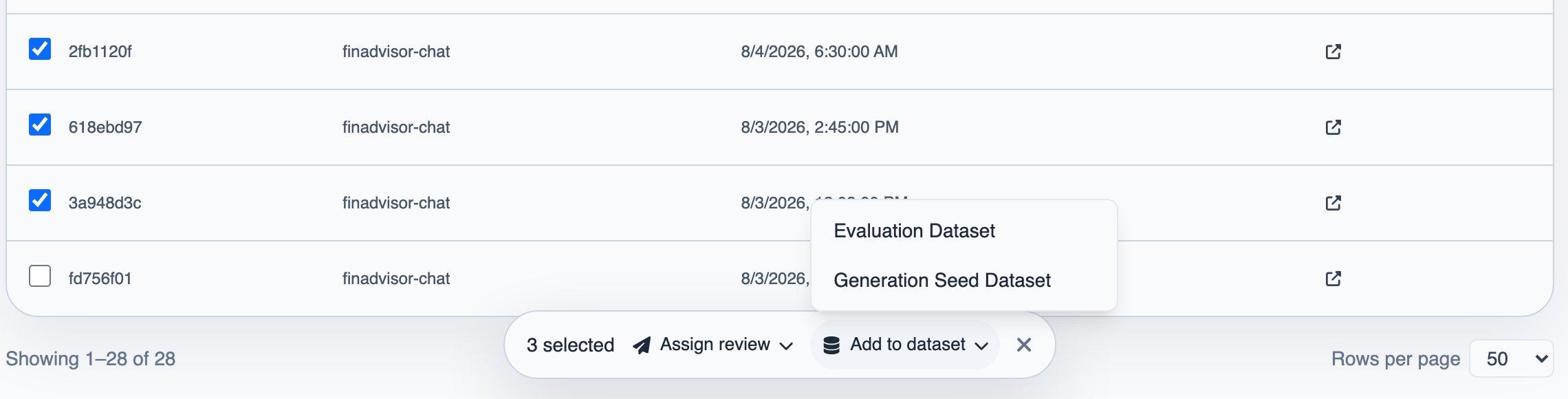
Connect traces to user journeys
The Signals SDK records what your users do in your product: clicks, feedback, workflow events. To line those signals up with the AI traces that happened around them, each trace has to carry the samejourney_id as the signals. The dataframer-journey library stamps it onto every Langfuse trace or LangSmith run as your service creates it; see server instrumentation.
Next steps
Findings
Search your traces for patterns and track the ones that matter
Human Reviews
Route traces to expert reviewers
Calibrated Judges
Grade every trace automatically against your rubric