

Grade on the dimensions that matter
Dimensions are the specific axes you care about, instead of a single thumbs up or down. One trace can be scored on accuracy, tone, completeness, or whatever matters to your business, all in one pass. Each dimension has a scoring model that fits the question: Pass / Fail, a 1 to 5 scale, a single select from a list, or a checklist of items to tick. One Pass / Fail, 1 to 5, or single select dimension is the headline dimension: its grade is the trace’s top-line verdict, so pick the one that answers “was this trace acceptable?”. For each dimension you can add example traces, a good and a bad one on a Pass / Fail or 1 to 5 dimension. These show reviewers how to grade borderline cases, and they are added to the judge’s prompt, so the judge applies the same standard.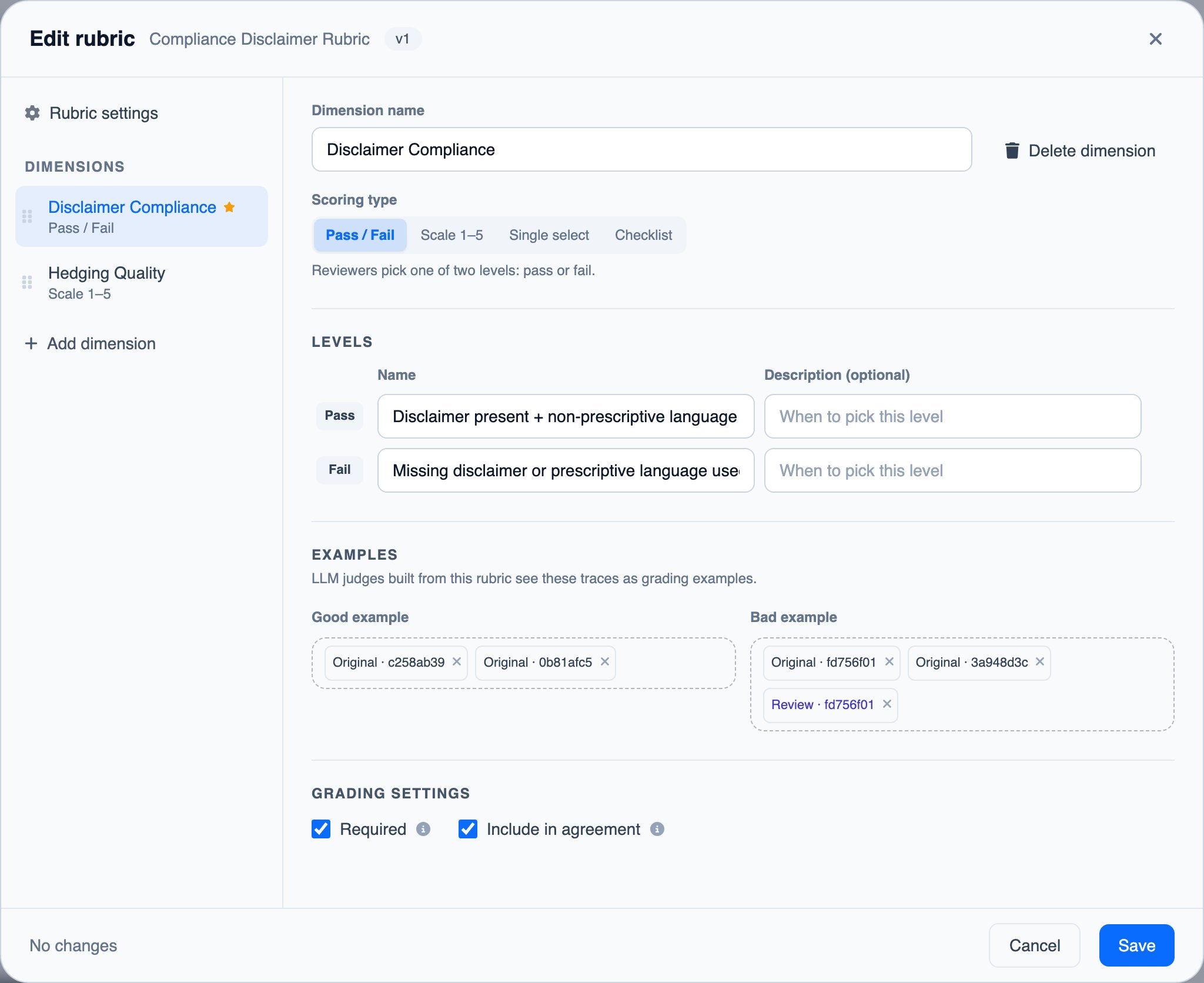
Know whether you can trust the results
For each dimension, the Rubrics page shows a reviewer agreement score: how often reviewers who graded the same trace reached the same grade. Low agreement is an early warning that the dimension is ambiguous, so you can fix it before you build judges or datasets on top of shaky data.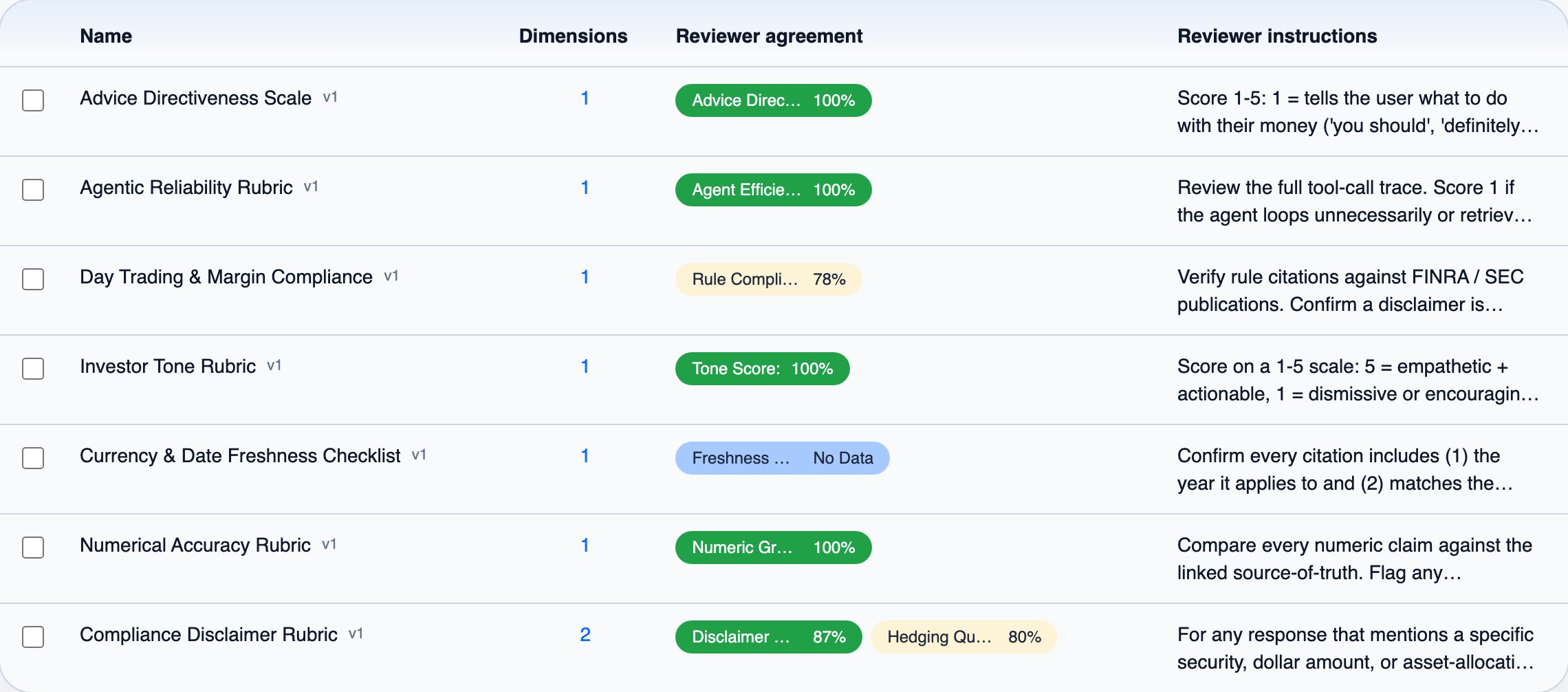
Improve the rubric without losing history
Rubrics are versioned: editing the description, reviewer instructions, examples, or dimensions saves a new version, while renaming the rubric or changing a dimension’s grading settings does not. Description, instruction, and example edits leave past grades counting as before. Changing a dimension’s name, scoring model, or any of the grades a reviewer picks from (its levels, options, or checklist items), even just their wording, or deleting the dimension, is different: past grades on that dimension stay on their reviews but no longer count toward team verdicts or agreement scores. Judges keep grading by the rubric version they were built from until you press Re-generate on the judge’s page.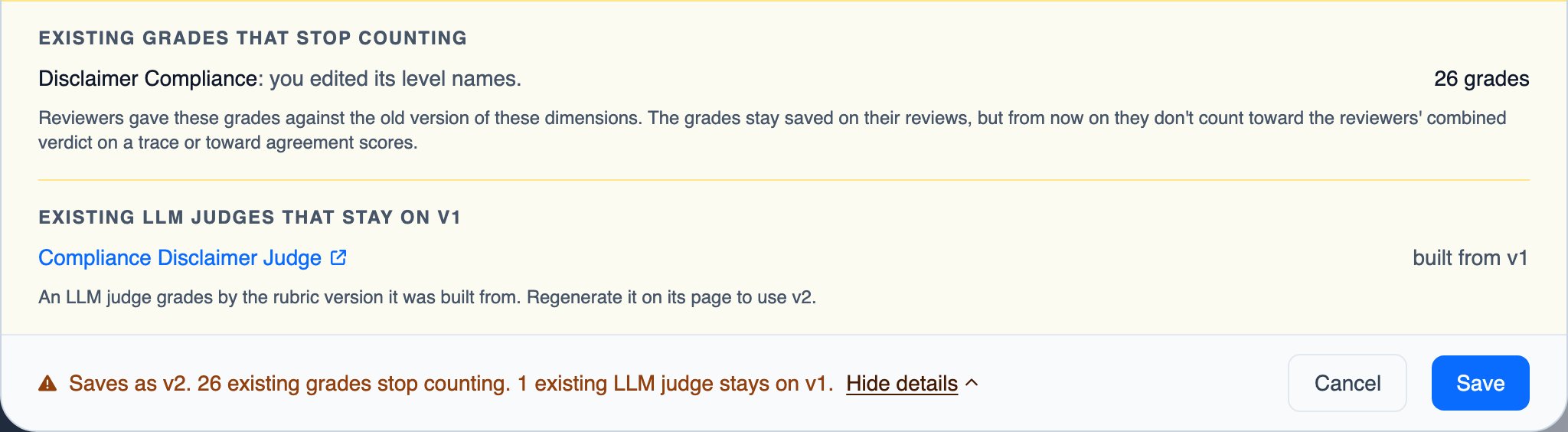
Next steps
Queues & Reviews
Put the rubric to work: route traces, grade them, and reuse the results